

Computing
Curriculum Aims
The overarching aim of the Computing curriculum is to equip children with the knowledge, skills, and understanding to become confident, responsible, and creative users of technology. It seeks to develop computational thinking, digital literacy, and the ability to apply technology effectively across various contexts, preparing pupils for a digital future.
The national curriculum for Computing aims to ensure that all pupils:
- can understand and apply the fundamental principles and concepts of computer science, including abstraction, logic, algorithms and data representation
- can analyse problems in computational terms, and have repeated practical experience of writing computer programs in order to solve such problems
- can evaluate and apply information technology, including new or unfamiliar technologies, analytically to solve problems
- are responsible, competent, confident and creative users of information and communication technology
Intent, Implementation and Impact
Intent
At East Dene Primary School, we want children to be excited about computing and we recognize that computing supports children in the ever-changing world of technology, encouraging them to become digitally literate which will then enhance their knowledge and support them being active participants in the digital world.
Implementation
At East Dene Primary we promote the use of computing and technology within all areas of the curriculum. We feel that embedding computing into the wider curriculum will allow children to be creative with their use of technology.
Our computing curriculum focuses on five key areas,
- Computing systems and Networks
- Programming
- Creating Media
- Data Handling
- Online safety
We follow the Kapow Computing scheme of work which caters for mixed year groups. It has been thoroughly planned out to enable children to revisit the 5 key areas each year to continue to build upon their prior knowledge.
The scheme of work has been designed as a spiral curriculum with the following key principles in mind.
✓Cyclical: Pupils revisit the five key areas throughout KS1 and KS2.
✓Increasing depth: Each time a key area is revisited, it is covered with greater complexity.
✓Prior knowledge: Upon returning to each key area, prior knowledge is utilised so pupils can build on
We feel strongly about Online Safety at East Dene and we want all children to feel confident when using all aspects of the internet. We plan in half termly online safety lessons to ensure all children receive the most up to date knowledge to support them in making sensible, thought-out choices when online.
Impact
At East Dene Primary School, the impact of our Computing curriculum is evident in the confident, creative, and responsible use of technology by our pupils. By revisiting key computing concepts through a well-structured spiral curriculum, children build upon their prior knowledge and develop a deeper understanding of the digital world as they progress through the school.
Cultural Capital
Safer Internet Day
Each year, we celebrate Safer Internet Day through a whole-school assembly and a range of classroom activities linked to the national theme. This provides valuable opportunities for pupils to discuss current online issues, reflect on their own digital behaviours and learn how to stay safe, respectful and responsible online. Our Key Stage 2 pupils also take part in a live BBC interactive workshop, enabling them to engage with experts and explore real-life scenarios surrounding online safety, digital wellbeing and positive use of technology.
This year’s theme was ‘Smart tech, safe choices – Exploring the safe and responsible use of AI’..
Next year’s theme is ‘Reflect on tech: exploring digital wellbeing and our relationship with technology’.
Annual E-Safety Day with Tim Pinto
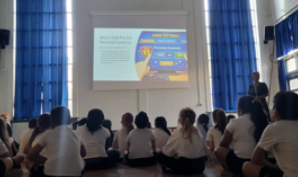
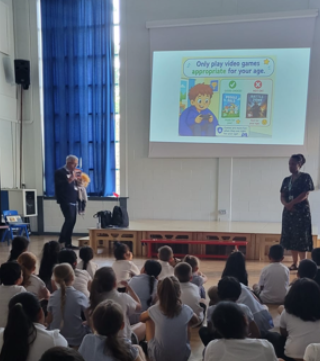
A highlight of our Computing enrichment programme is our annual E-Safety Day, led by online safety specialist Tim Pinto. Throughout the day, pupils from EYFS to Year 6 participate in age-appropriate workshops designed to develop their understanding of online safety, digital citizenship and responsible technology use. Sessions cover a wide range of topics including online gaming, social media, cyberbullying, privacy, digital footprints and managing screen time. Tim also delivers professional development training for staff, ensuring our school community remains informed about current online trends, risks and safeguarding developments.
Parent Workshops
We believe that keeping children safe online is most effective when schools and families work together. Throughout the year, we offer regular parent workshops designed to support families in navigating the ever-changing digital world. These sessions provide practical advice on parental controls, age-appropriate apps and games, social media platforms, online trends, gaming safety and managing screen time. Parents are given up-to-date guidance and resources, helping them make informed decisions about their children’s use of technology and strengthening the partnership between home and school.
Termly E-Safety Newsletter
To keep our school community informed, we publish a termly e-safety newsletter containing the latest guidance, updates and advice for parents and carers. Newsletters highlight emerging online trends, popular apps and games, recommended age ratings, parental control guidance and practical tips for promoting safe technology use at home. By regularly sharing current information and resources, we help families stay aware of the rapidly changing digital landscape and support children in becoming safe, confident and responsible digital citizens.
Progress Models
Disciplinary
Substantive
Progression of Language
Substantive and Disciplinary Knowledge
Year 1

Year 2

Year 3

Year 4

Year 5-6

Research Around the Curriculum
Concepts
Key Concepts in the Computing Curriculum
Computing Systems and Networks:
- Pupils learn how computer systems work, including hardware, software, and networks. They explore how information is transmitted and the role of the internet in communication, helping them understand the infrastructure behind digital technology.
Programming:
- Children develop problem-solving skills by writing and debugging programs using algorithms. They learn to think computationally, using logic and sequence to create, test, and improve their programs across different platforms and coding languages.
Creating Media:
- Pupils use digital tools to create a range of media, such as images, video, sound, and text. They learn to combine different types of media creatively, exploring how technology can be used for communication, storytelling, and expression.
Data Handling:
- Children explore how data is collected, analysed, and represented using technology. They work with tools like spreadsheets and databases to organise, interpret, and present data, learning the importance of accuracy and efficiency in digital information processing.
Online Safety:
- This area emphasizes the importance of using the internet responsibly and safely. Pupils learn about privacy, security, digital footprint, cyberbullying, and how to identify and mitigate online risks. The aim is to empower them to make informed, safe decisions in the digital world.
The curriculum revisits these five key areas each year, with increasing depth and complexity, allowing children to build on prior knowledge and gain a comprehensive understanding of computing by the end of primary school.